
Production Copilot Service
This section explains how external applications and services can interact with Production Copilot through its REST API, including the required authentication setup, supported capabilities, and integration options. Production Copilot API supports integration with Visual Flow Creator and access to prebuilt skills, but custom Visual Flow Creator skills are currently not supported.
Description of API Access
Production Copilot can be accessed through a REST API. To use the API, you must first create a technical user and assign the required roles and scopes in the "Settings" application.
Prerequisites
The following requirements must be fulfilled to proceed:
Create a technical user.
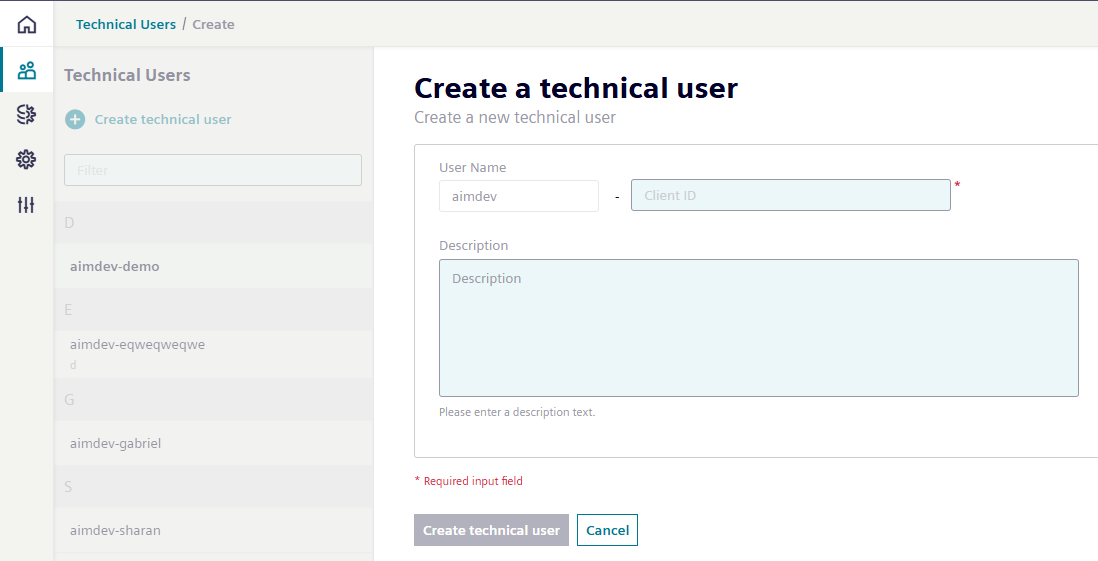
Copy and securely store the user credentials (Client ID and Secret)
Assign at least the following role:
mdsp:core:pcass.rProvides basic read access to the API, supporting common chat functions.
Assign any additional roles required by the skills or services you intend to use. For example, access to "Insights Hub Asset Management" requires the corresponding service role.
The minimum required roles for each prebuilt skill are listed in the
Pre-built Skillssection. Obtain a Bearer token using the technical user's credentials.Obtain a Bearer token using the technical user's credentials.
Once a valid Bearer token is obtained, you can send authenticated requests to the Production Copilot API.
API Reference
Request Method: POST
Request Body:
{
  "messages": [
    {
      "role": "user",
      "content": "What can you do for me?"
    }
  ]
}
Limitations
With the technical user, you can currently query agents which are using:
- The RAG database when the skill
findInDocumentsis used. - Prebuilt agents and skills. In this case, the appropriate roles must be assigned to the technical user.
- Skills using public endpoints in Visual Flow Creator.
Note
Custom skills using Visual Flow Creator are currently not supported. You will get an authentication issue in the chat when these kinds of skills are queried.
Bruno Collection
This section provides a ready-made Bruno collection to get started the API.
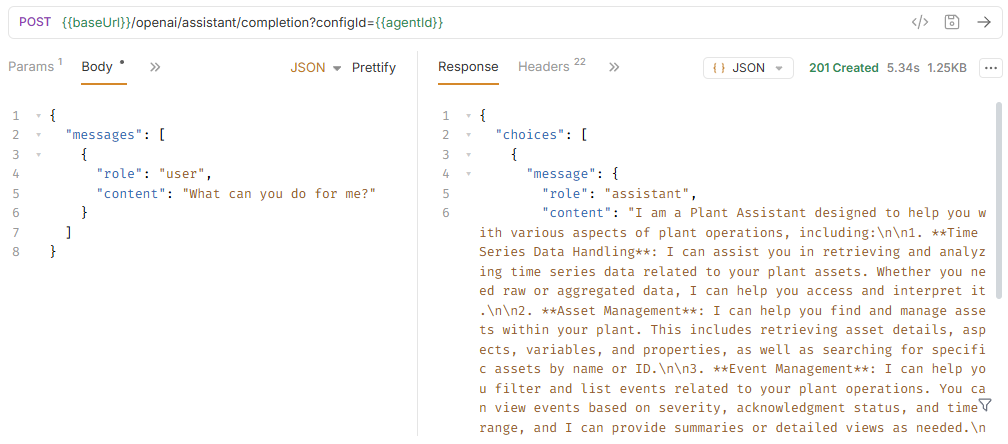
You can use the following Bruno collection to test the API:
Bruno Collection
- Import the collection into Bruno.
- Update the environment configuration parameters to match your tenant.
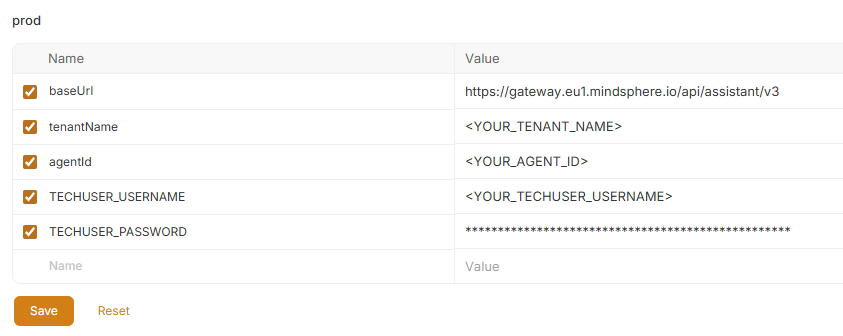
- Send the request to retrieve the token, then send the completion request.
Usage in Visual Flow Creator (VFC)
Visual Flow Creator can also be used to query the Production Copilot API.
- Use the Request Node and enable the Insights Hub Service checkbox to handle authentication automatically.
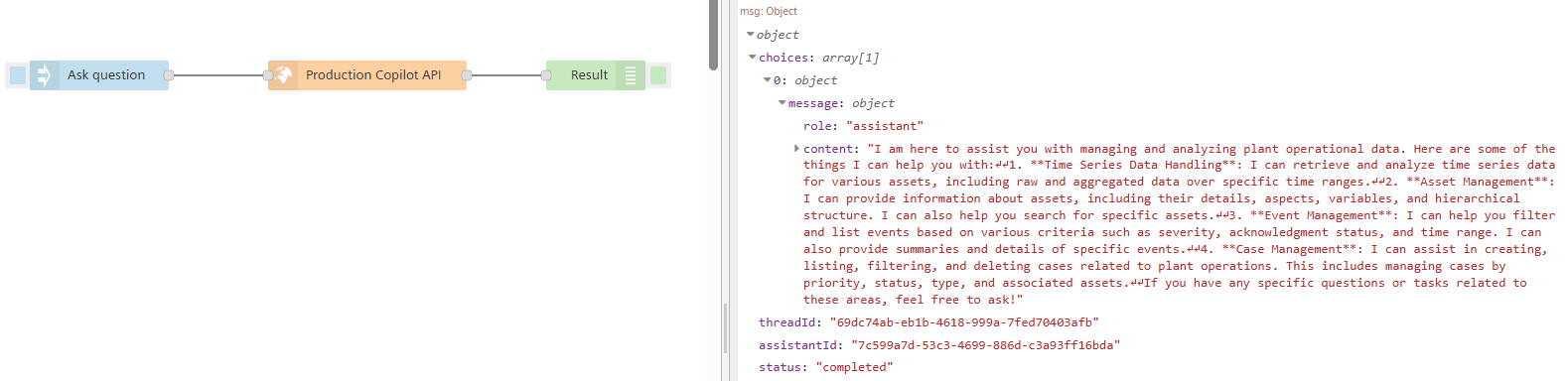
Example Flow: You can import this ready-to-use example flow into your VFC environment: Visual Flow Creator and Copilot API example flow
By combining this with the inject node, you can trigger agentic flows at regular intervals or on a specific schedule.
Application Example
A reference application is available on GitHub that demonstrates how to integrate the Insights Hub Production Copilot into a Microsoft Teams environment. This serves as a starting point for building custom interfaces.