
API Usage
Overview
The Process Value APIs allow you to retrieve historical and latest process data from your SITRANS devices. See the Process values group in the External APIs reference for request parameters, response formats, and available operations. Select the API version that applies to your environment.
The following endpoints retrieve historical and latest process values, respectively:
GET /companies/{company_id}/devices/{device_id}/process-values
GET /companies/{company_id}/devices/{device_id}/process-values/latest
Client Authentication and Authorization
Before accessing process data, create or use a server user and obtain an OAuth 2.0 access token using the client credentials flow. You need a SITRANS hub IQ account with the customer administrator role to manage server users.
Open User Management
- Log in to SITRANS hub IQ with your customer administrator account.
- Open Settings and select Manage users.
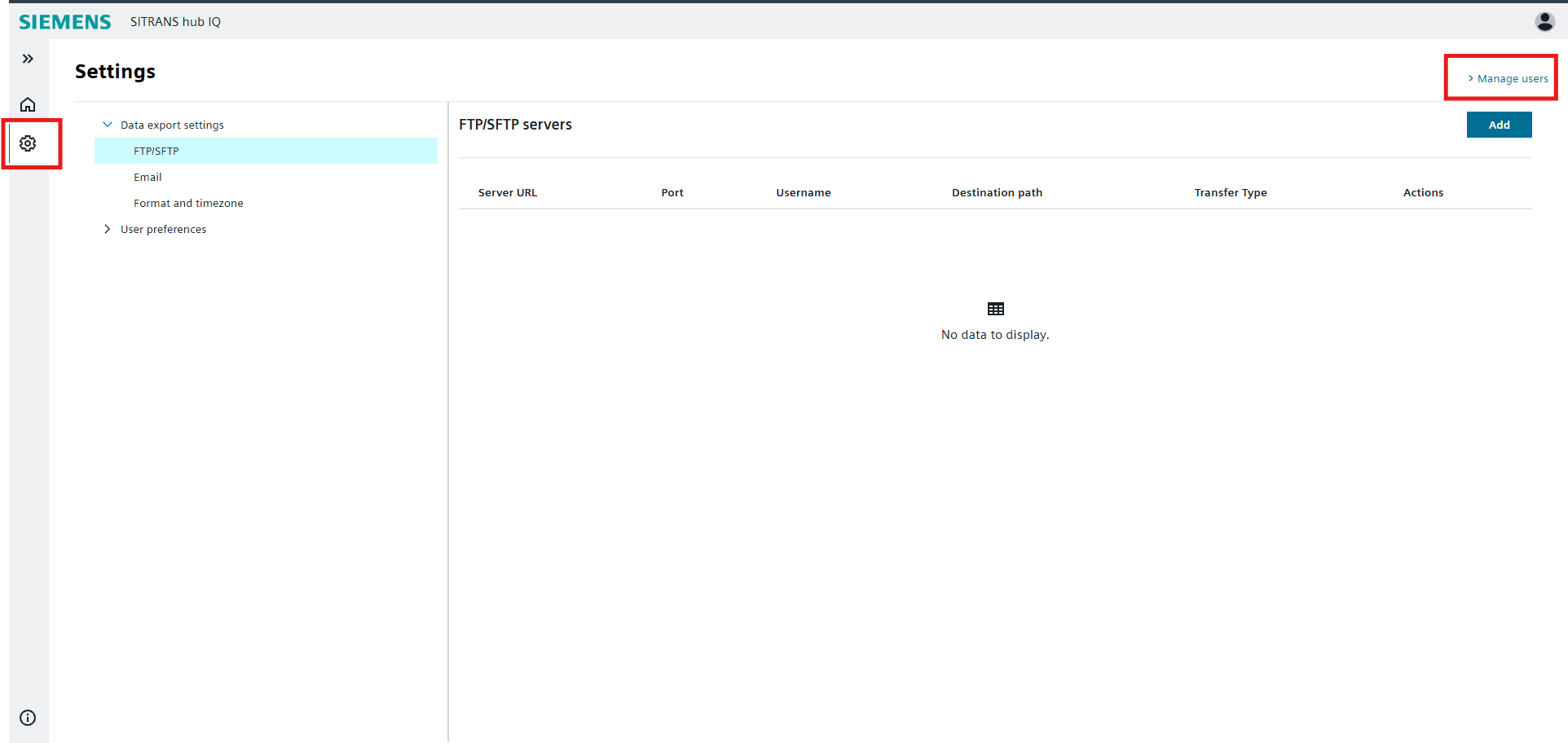
Open the Server User List
- In the Siemens Xcelerator Admin Console, log in with the same email address you use for SITRANS hub IQ.
- If prompted to select a login method, select Siemens WebKey MFA and choose your account.
- Open Products and select the hub IQ product to display its Product details.
- Open the actions menu and select View server users.
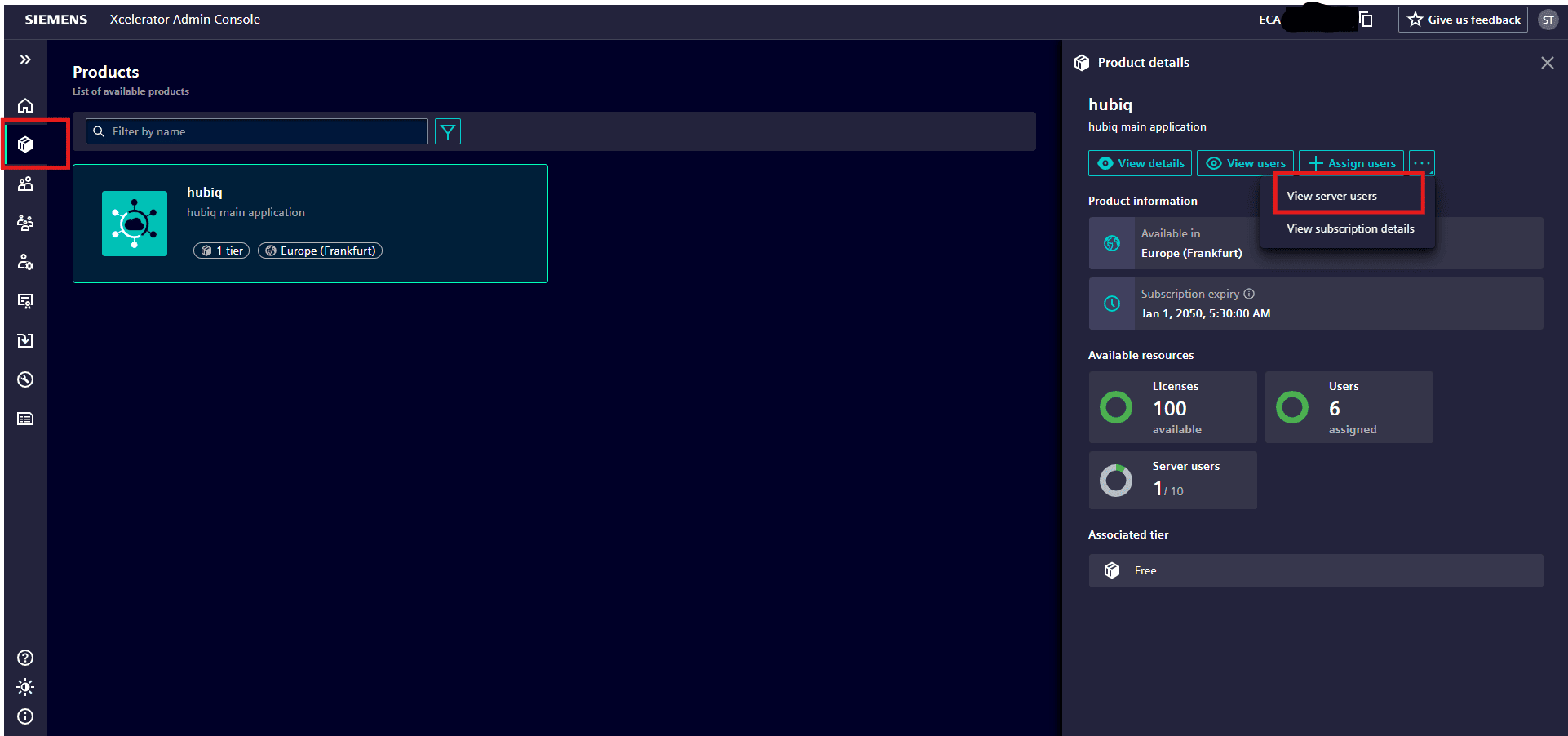
Create a Server User
If no suitable server user exists, select Create server user. Complete the Name, Tier, and Role fields, then select Create. Choose a role with the permissions required for your API calls.
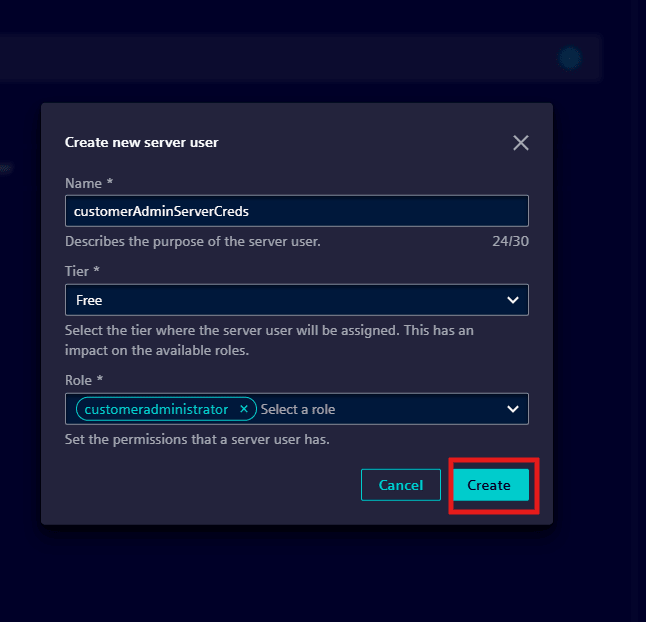
Download Credentials
Open the server user's actions menu and select Download credentials. The downloaded credentials contain clientId, clientSecret, and tokenUrl. Keep the credentials secure and do not include them in source control or shared examples.
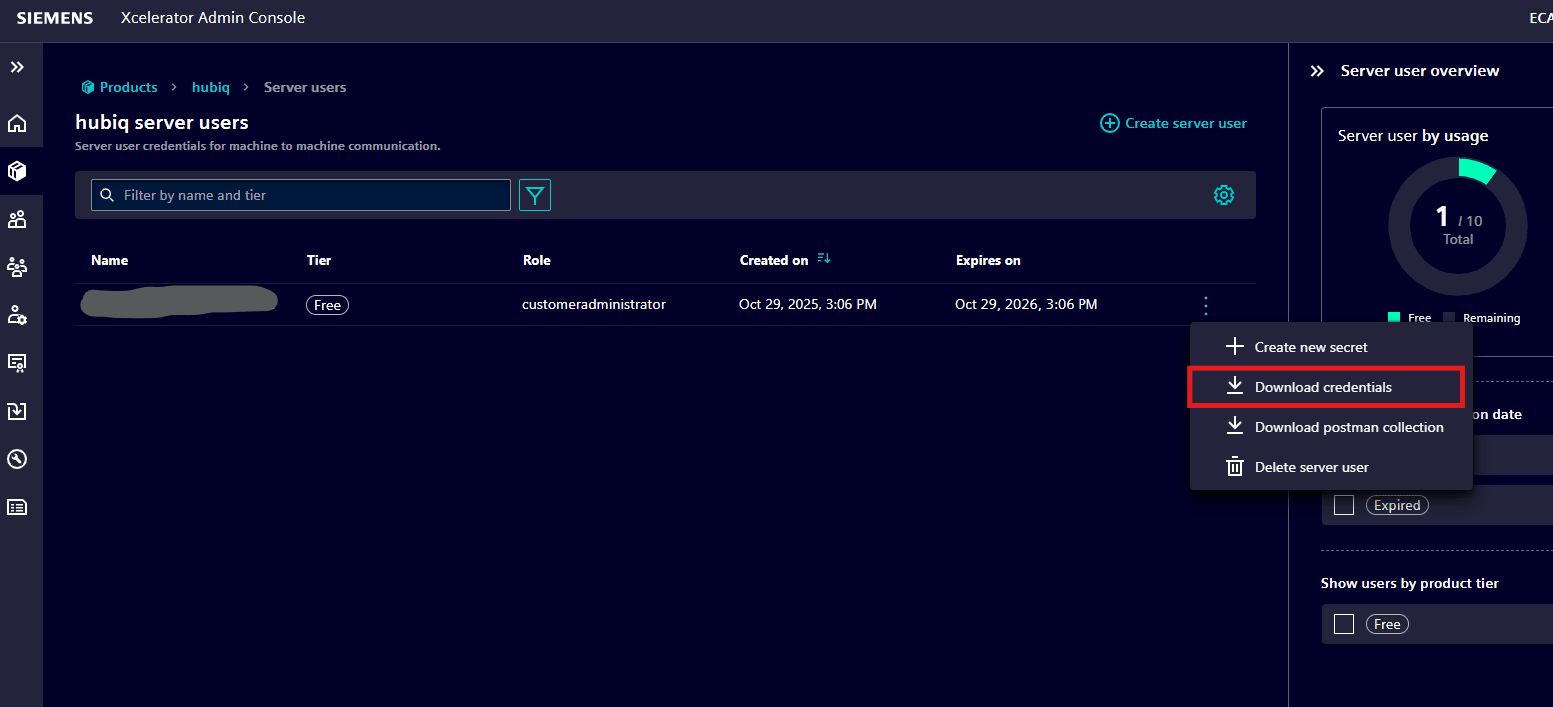
Obtain an Access Token
Use the downloaded credentials to request an access token. In the following Bash example, set TOKEN_URL, CLIENT_ID, and CLIENT_SECRET to the corresponding values from your credentials file. The --user option sends the client credentials using HTTP Basic authentication.
curl --request POST \
  --url "${TOKEN_URL}" \
  --user "${CLIENT_ID}:${CLIENT_SECRET}" \
  --header 'Content-Type: application/x-www-form-urlencoded' \
  --data-urlencode 'grant_type=client_credentials'
The production token endpoint is https://hubiqprod.eu1.sws.siemens.com/oauth/token. Use the tokenUrl supplied with your credentials for your environment.
Access tokens expire after 30 minutes. Obtain a new token before the current token expires; you can reuse a valid token for multiple API calls.
Retrieve Process Values
Find the Company and Device IDs
Use the following operations from the External APIs reference to obtain the IDs required by the Process Value APIs:
| ID | Operation |
|---|---|
company_id | GET /companies |
device_id | POST /companies/{company_id}/devices/list |
Follow the request and response schemas for your selected API version.
Call the Process Value APIs
Replace {company_id} and {device_id} in the process value endpoint with the IDs obtained above. Include the access token in the Authorization header of each API request:
Authorization: Bearer <access_token>
Use GET /companies/{company_id}/devices/{device_id}/process-values for historical process data, or GET /companies/{company_id}/devices/{device_id}/process-values/latest for the latest process data. Refer to the Process values group in the External APIs reference for any required query parameters.
Rate and Burst Limits
The following limits apply to all clients combined, not to each client individually:
| Limit | Value | Description |
|---|---|---|
| Rate limit | 20 requests per second | Maximum request rate at which all clients combined can call an API. |
| Burst limit | 10 concurrent requests | Maximum number of concurrent requests that all clients combined can make to an API. |