
Vilocify Inbox
The Vilocify Inbox serves as a secure, dedicated channel for all service-related notifications. Its primary function is to centralize communication regarding sensitive operational data, including all updates related to monitoring list, components and component requests, and admin memberships expiration reminders, as well as messages notifying about vulnerabilities that affect components belonging to the user's monitoring lists. This ensures that users receive timely and protected access to information directly within the Vilocify Portal.
However, the email would still be used in the following cases:
- Unread inbox messages reminder
- Expiration reminder for your own membership.
- Organization expiration reminder for admins.
- Monitoring list export ready.
- Consumption reports, after the end of the consumption period, for admins.
Accessing the Inbox
You will have all your messages accessible in the Inbox section in the sidebar on the left, as you can see in the screenshot.
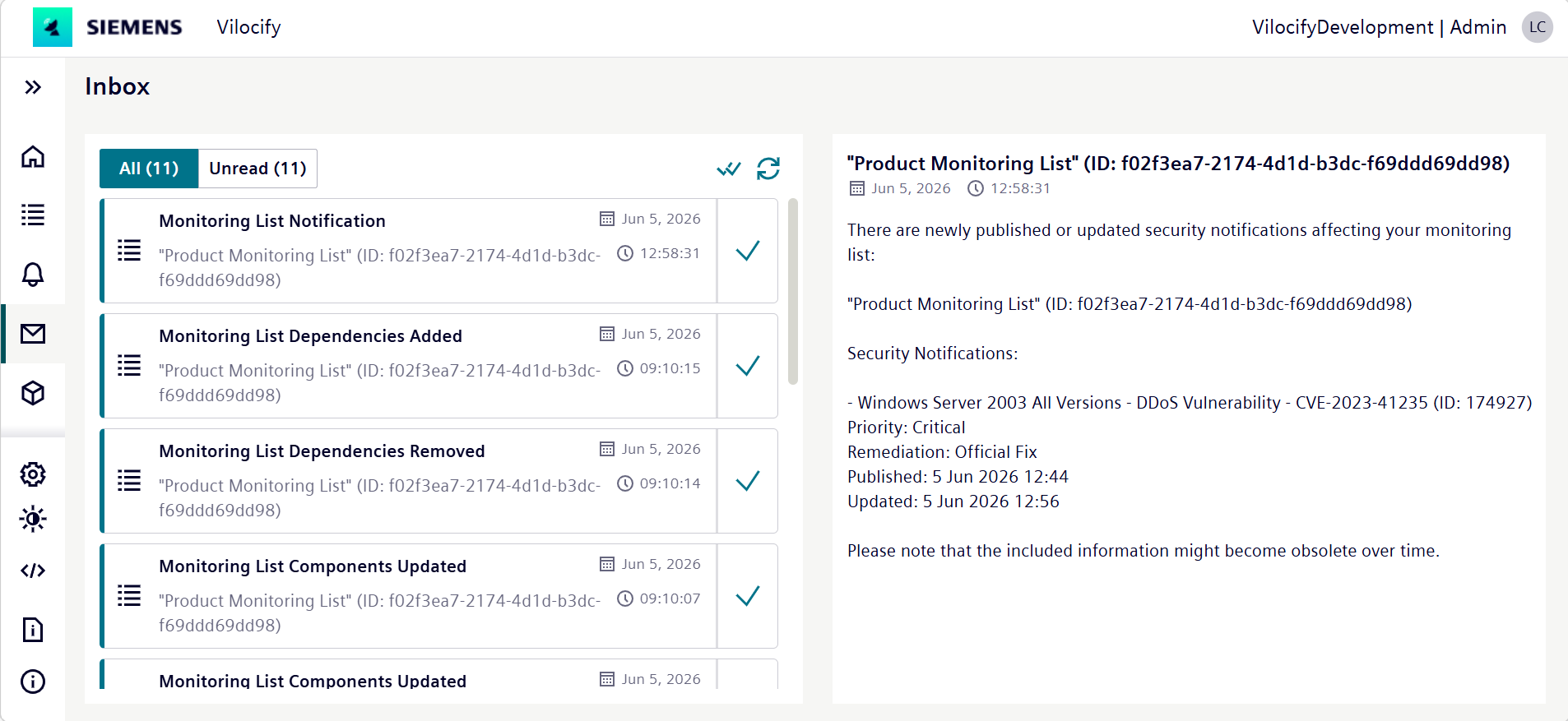
Configuring Inbox settings
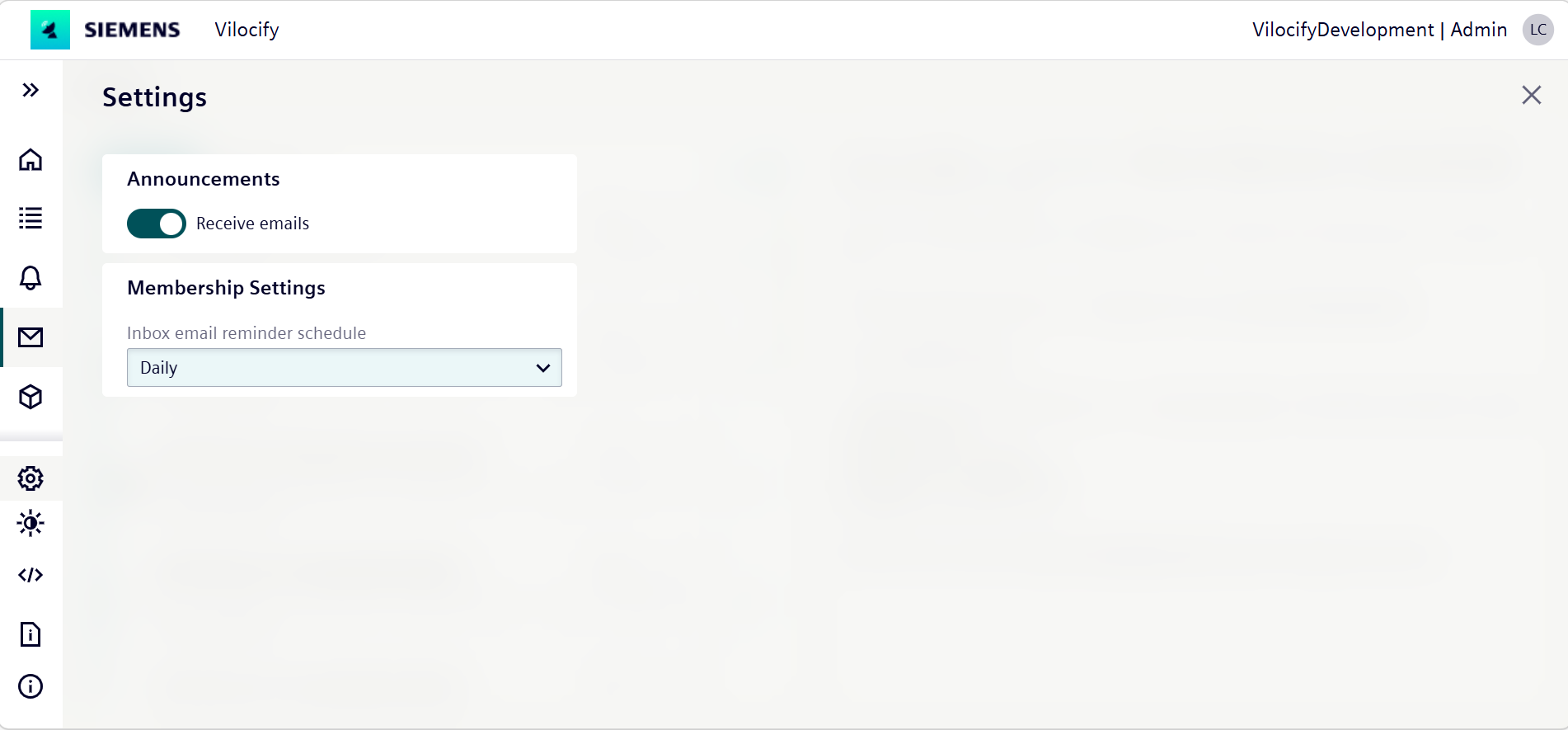
In the Settings section, you are able to determine whether you wish to receive announcements or not. You can also specify the frequency (daily, weekly or never) at which you will receive the membership reminder.
What messages get stored in the inbox?
Security notification messages
Vilocify makes sure that all the users are aware of vulnerabilities that affect components they assign to monitoring lists by sending them a notification message.
End of life messages
Vilocify makes sure that all the users are aware of components they assign to monitoring lists when they have reached their end of security support.
Monitoring list subscription management
Messages will be sent when adding, modifying or removing your subscription from a monitoring list by an admin, security officer or an owner of a monitoring list.
Monitoring list component management
Messages will be sent when adding or removing components from a monitoring list by an admin, security officer or an owner of a monitoring list. Additionally, in case a component has been deactivated by our analysts and the monitoring list is impacted, an inbox message gets sent out.
Monitoring list dependency management
Messages will be sent when adding or removing list a child monitoring list as a dependency to the monitoring list by an admin, security officer or an owner of a monitoring list.
Component request updates
Once a component request is processed, you will be notified via Vilocify inbox. This message will indicate if your request was accepted or rejected. Additionally, If your component request is updated you will get a message. There are different situations in which you will receive this message:
- Your request was first accepted, but then for some reason rejected.
- Your request was accepted and mapped to a specific component, but then it was updated when mapped to a different component.
Memberships expiration reminder for admins messages
Admins will receive a message in their inbox notifying them that other memberships in their organization are expiring soon, so they can extend those memberships.